
Architecture · All levels
3ds max for Revit users – Render Revit using 3ds Max & V-Ray
Learn to move your project from Revit to 3ds Max and render it professionally with V-Ray, from materials and lighting to cameras and final output settings.
8chapters
61video lessons
12:17:20actual length
ARTaught in Arabic
Recordedwith support, not live and not on-site
This page is translated from Arabic. The course videos are in Arabic.
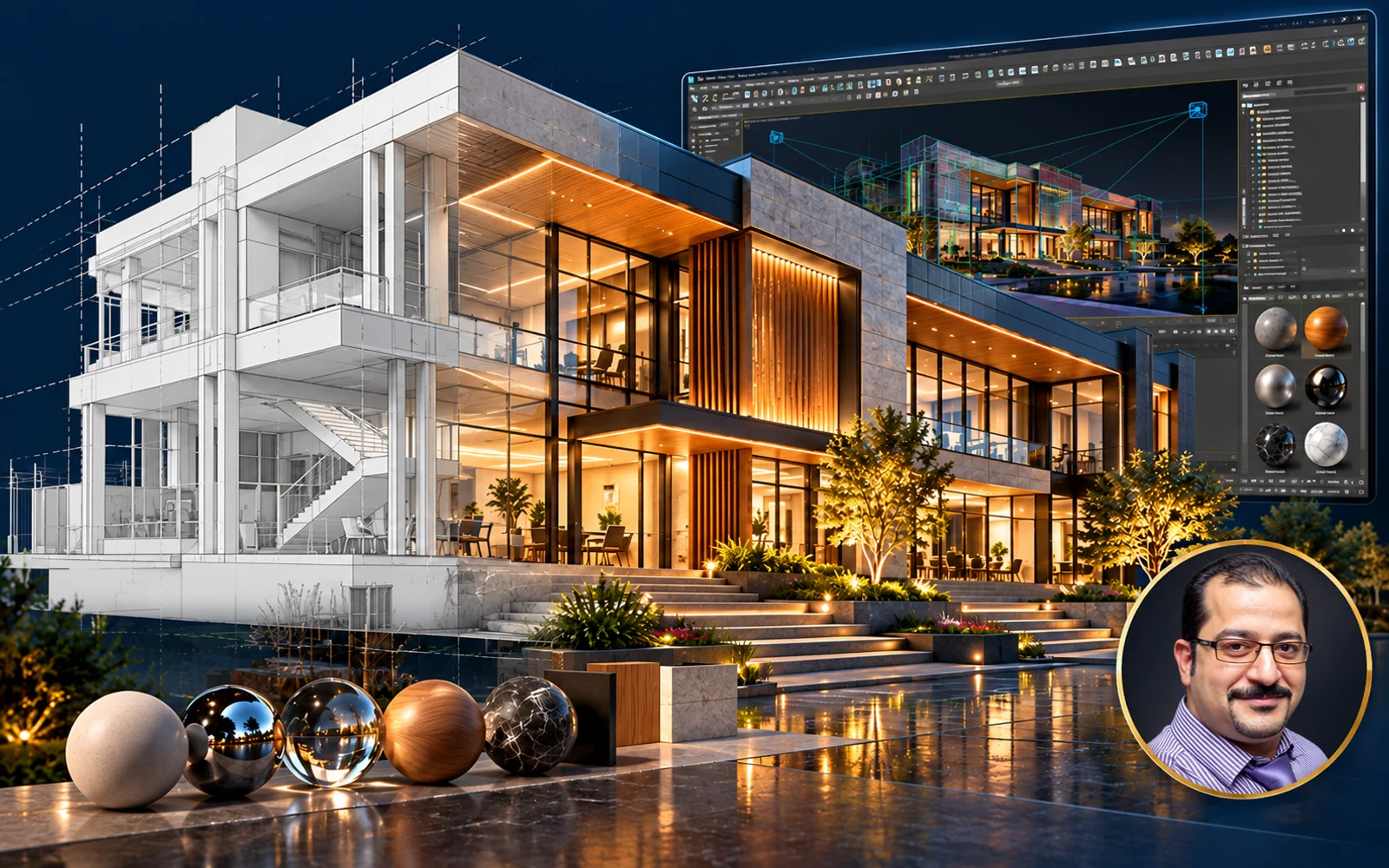
About this course
A hands-on course for Revit users who want to raise the level of architectural visualization in their projects. You will move the model from Revit to 3ds Max step by step, then work on it in V-Ray until you produce high-quality interior and exterior, day and night scenes. The course includes working files for practice.
- Instructor
- Eng. Mohamed Omar
- Software
- Revit, 3ds Max, V-Ray
What you will learn
- Ways to export the model from Revit to 3ds Max, and the pros and cons of each
- The essential tools and shortcuts you will need inside 3ds Max
- V-Ray basics: setting up Materials, Lighting and rendering
- Final render settings for high-quality output in reasonable time
- Setting camera angles and lenses for realistic shots
- The most important Plugins that improve quality and save time
- Building interior and exterior, day and night scenes with visual effects
Who this course is for
- Revit users who want a higher level of architectural visualization
- Architects who want to present their projects with professional renders
What you need before you start
- Working knowledge of Revit
- Revit, 3ds Max and V-Ray installed on your computer

Instructor
Eng. Mohamed Omar
Course content
8chapters
61video lessons
12:17:20Actual length (h:m:s)
01 Setup & Importing Revit Files 7 lessons1h 14m ⌄
- 01 Introduction 02:32
- 02 Max Unit setup 10:32
- 03 import AutoCAD File 14:40
- 04 Import FBX File 06:25
- 05 FBX Problem 12:30
- 06 Import Revit File 15:00
- 07 DWG or FBX or RVT 11:51
02 Interface & Navigation 2 lessons24m ⌄
- 01 3Ds MAX User interface 08:58
- 02 Viewports & Navigation Tools 14:37
03 Material Basics 7 lessons1h 11m ⌄
- 01 Material Basics In MAX Part 1 18:28
- 02 Material Basics In MAX Part 2 13:13
- 03 Material Basics In MAX Part 3 08:51
- 04 Material Basics In MAX Part 4 06:21
- 05 Material Basics In MAX Part 5 08:59
- 06 V-Ray Material Library 05:21
- 07 UVW MAP 09:49
04 Render Setup 4 lessons1h 11m ⌄
- 01 Rendr Setup Part 01 14:36
- 02 Rendr Setup Part 02 20:57
- 03 Rendr Setup Part 03 14:48
- 04 Rendr Setup Part 04 20:58
05 Exterior: Applying Materials 10 lessons2h 7m ⌄
- 01 Applying Material 01 09:41
- 02 Applying Material 02 10:08
- 03 Applying Material 03 08:22
- 04 Applying Material 04 15:11
- 05 Applying Material 05 16:54
- 06 Applying Material 06 11:41
- 07 Applying Material 07 08:32
- 08 Applying Material 08 13:18
- 09 Applying Material 09 22:40
- 10 Applying Material 10 10:50
06 Exterior: Models, Proxies & Day Light 5 lessons1h 42m ⌄
- 01 Max Models Merge 23:56
- 02 V-Ray Proxy 14:56
- 03 Camera Motion Blur 12:18
- 04 Forest Pack 22:40
- 05 Day Time Render Setup 28:35
07 Night Lighting & Final Render 11 lessons1h 49m ⌄
- 01 Light setup for night time Part 01 07:01
- 02 Light setup for night time Part 02 07:02
- 03 Light setup for night time Part 03 06:24
- 04 Light setup for night time Part 04 08:46
- 05 Light setup for night time Part 05 10:40
- 06 Light setup for night time Part 06 12:16
- 07 Light setup for night time Part 07 13:49
- 08 Adding Camera with some modification 10:56
- 09 Batch Render Watch free 06:11
- 10 Adding Curtains 18:01
- 11 Lens Effects 08:22
08 Interior Scene 15 lessons2h 39m ⌄
- 01 Preparing interior scene 05:58
- 02 Merge Models 12:27
- 03 Edit Models Size 12:38
- 04 Ceiling Model part 01 10:43
- 05 Ceiling Model part 02 07:20
- 06 Merge Light Models 08:06
- 07 Tv Wall 16:12
- 08 Edit Materials Part 01 05:36
- 09 Edit Materials Part 02 10:01
- 10 Edit Materials Part 03 13:27
- 11 Interior Light Setup part 01 09:50
- 12 Interior Light Setup part 02 06:01
- 13 Interior Light Setup part 03 15:42
- 14 Interior Light Setup part 04 10:31
- 15 V-Ray Denoiser & Lightmix 14:12
Lengths are measured from the video files themselves.
What do you get when you enroll?
Recorded videos
Watch whenever suits you and replay any lesson as often as you like.
B&E Player
The course runs in a protected player on your computer, even offline after activation. If you change computers, you get 3 free moves per course; after that a move costs a small fee.
Certificate of completion
You request the certificate after you solve the course tasks, finish part of the course and upload your work to the site. It has a verification page with its number.
Support and follow-up
Ask in the forum or book a support call with the instructor.
3ds max for Revit users – Render Revit using 3ds Max & V-Ray
Start today and learn on real projects
8 chapters, 61 lessons, 12.3 hours of teaching
What our students say
WhatsApp
صباح الخير ياهندسة ازي حضرتك يارب تكون بخير، حابب اشكر حضرتك الاول علي المجهود الجبار المعمول ف الدبلومة 💙🙏 كنت ف انترفيو الاسبوع اللي فات في مكتب كبير، والمهندس اللي عمل الانترفيو انبهر جدا بمستوايا ف الريفيت وسالني اتعلمت مع مين، فقلتله ان معظم اللي اعرفه كان من مهندس حسام الزهيري والدبلومة بتاعته وطلع عارف حضرتك 😂 والحمدلله اتقبلت وفي مرحلة التفاوض علي المرتب 💙
WhatsApp
والله دي حقيقه، انا كنت ف شركه زدت ٦ أضعاف مرتبي بعد توفيق ربنا الفضل للمحتوى بتاعكم
WhatsApp
عاوز اقولك حاجه، والله انا رحت شركه كبيره، مستوى حلو جدا جدا ف الريفيت مقارنه بال موجودين الفضل لربنا ثم حضرتك، ورشحت لحضرتك زميل هنا واشترك مع حضرتك من اسبوع
Related courses

Planning 7.5 h All levels
Projects Monitoring and Reporting – using Primavera and Power BI
 Eng. Mahmoud Abozeid
$13
$20
Architecture 27.1 h All levels
Architectural technical office using Autocad
Eng. Zeinab Mahmoud
$15
$20
BIM 74.8 h All levels
Mastering Api Using C# (Revit + WPF + CAD + Civil 3d)
 Eng. Alaa Elsolami
$90
$200