
Summarizing a Navisworks Clash Report Using AI
Admin ·
Translated from Arabic. اقرأ الأصل بالعربي
A clash report from Navisworks can contain hundreds or thousands of clashes, and reading all of that to prepare for a coordination meeting is exhausting. AI can help you get the big picture quickly.
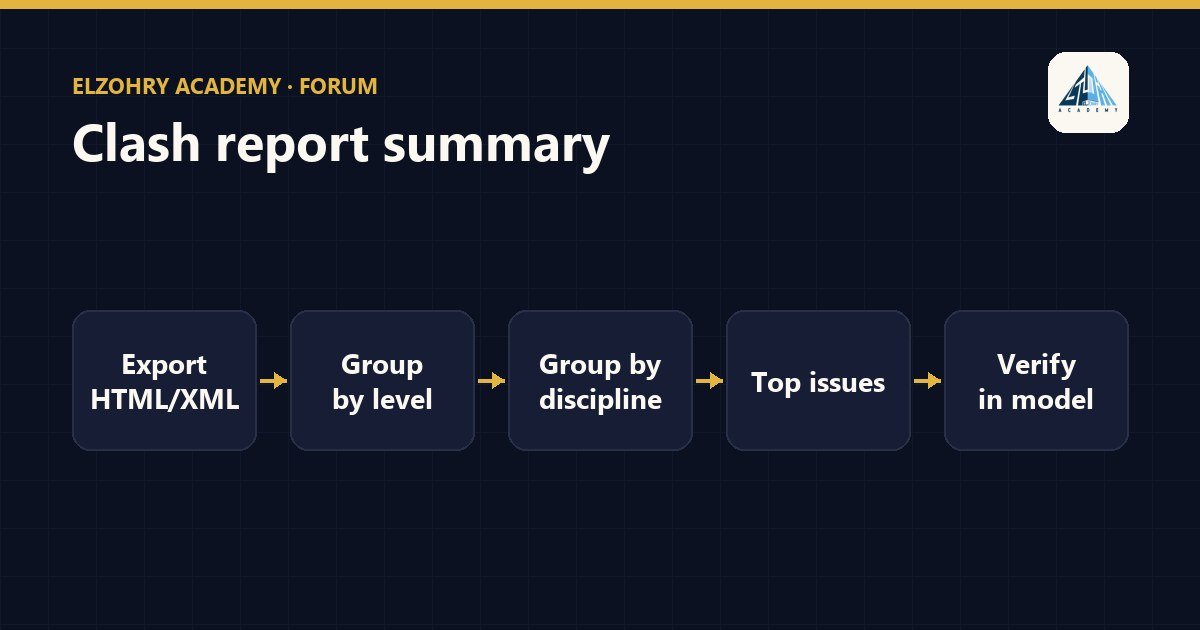
1. Export the report in a suitable format
From Clash Detective you can export the report in more than one format, including XML and HTML. These formats are easy to read or convert to a table, and they contain data like the test name, the clash status, and the clashing elements.
2. Clean up and standardize the data
- Keep in mind that a single clash can be repeated in different forms, so grouping matters more than the raw count.
- If you have grouping in Navisworks itself, use it before exporting.
3. Ask for grouping and analysis
Example prompt: "This is a table of clashes between the Structure and MEP models. Group them by Level, then by discipline pair. Give me the top 10 recurring issues, and for each one suggest who should review it."
4. Check the result against the model
- Open the clashes at the top of the list in Navisworks and make sure they're real issues, not a small tolerance or unimportant elements.
- The AI doesn't see the model; it only sees the text.
About the data
Clash reports contain file names, levels, and sometimes element names specific to the client's project. Don't put this data into a public AI tool unless your company has approved that tool and its settings are suitable for confidential data. If you're not sure, remove the project and file names before uploading, or use an internal tool.
The goal is to walk into the meeting knowing the most important issues, not for the AI to make the decision for you.
#Navisworks#Clash Detection#AI#Coordination